Test Inbox Delivery and Spam Score of a MailChimp Campaign
G-Lock Apps spam filter tester integrates with MailChimp which makes it very easy to test the Inbox placement and spam score of an email campaign created in MailChimp.
GlockApps will create a new audience (“GlockApps Delivery Monitor Seeds”) in your MailChimp account to import our test email addresses, and will display a list of your existing campaigns. When you run a spam test for one of your campaigns, GlockApps will duplicate it and send it to our test list.
Warning! If you receive the “Your current account plan with MailChimp doesn’t permit the creation of additional audiences (GlockApps seed list)” error message, delete an existing audience in your MailChimp account to allow GlockApps to upload the seed list or upgrade to a higher plan with MailChimp.
To test a MailChimp email campaign, follow these steps:
Login to your G-Lock Apps account.
Go to Integrations > MailChimp.
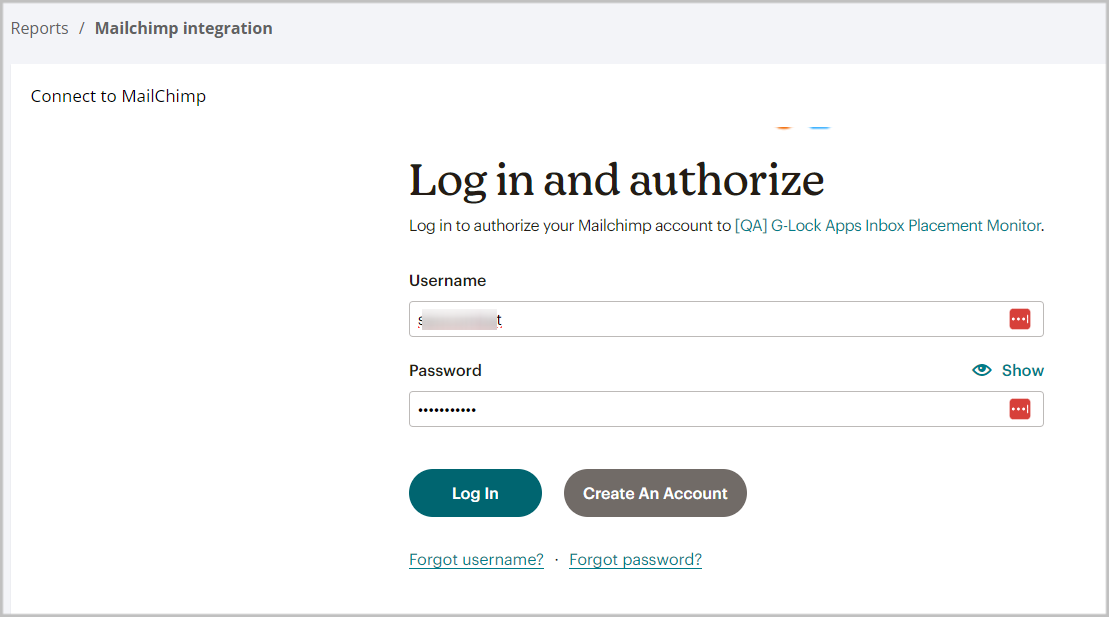
Click Connect to MailChimp.
Enter the username and password for your MailChimp account and click Login.
Note: if you’ve already connected to MailChimp, skip this step.
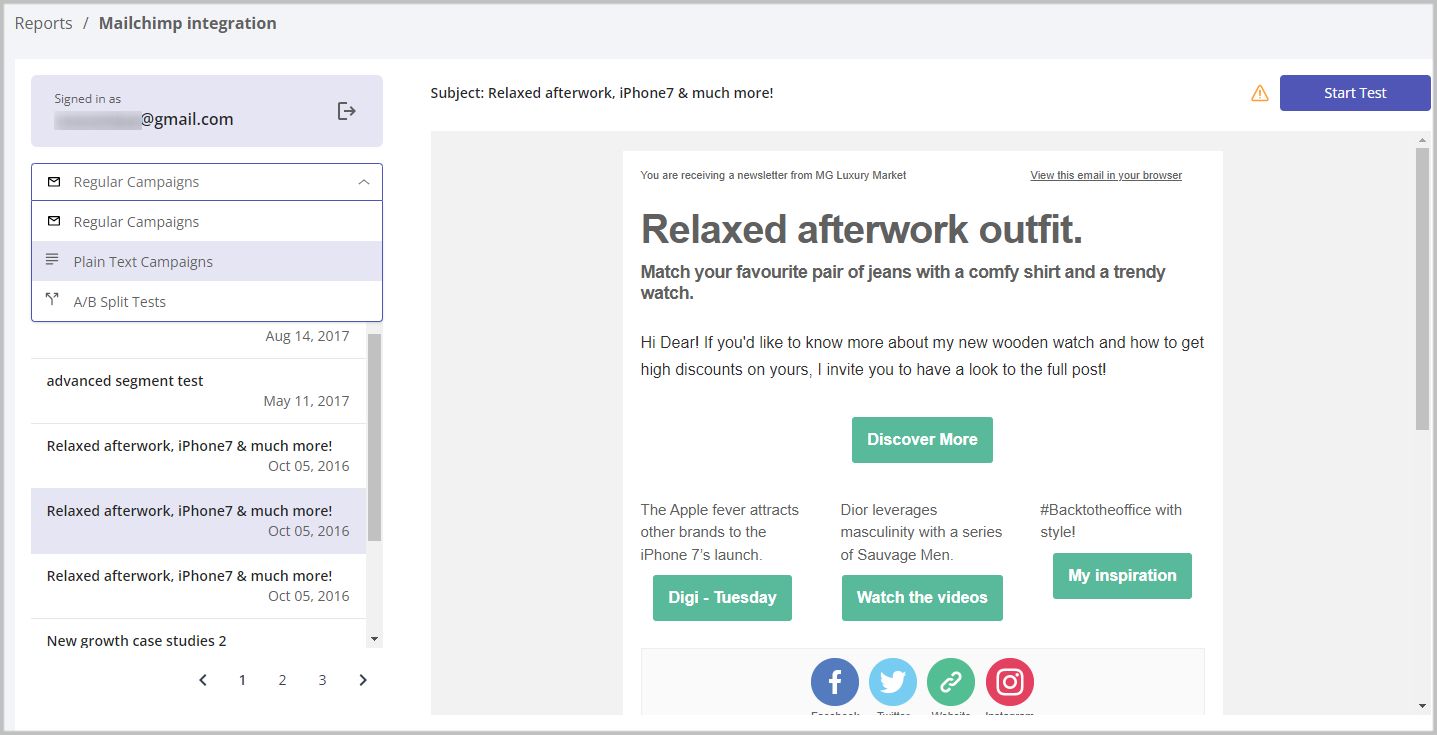
Glock Apps will show your regular email campaigns created in MailChimp. If you want to test A/B campaigns or plain text campaigns, select them from the menu.
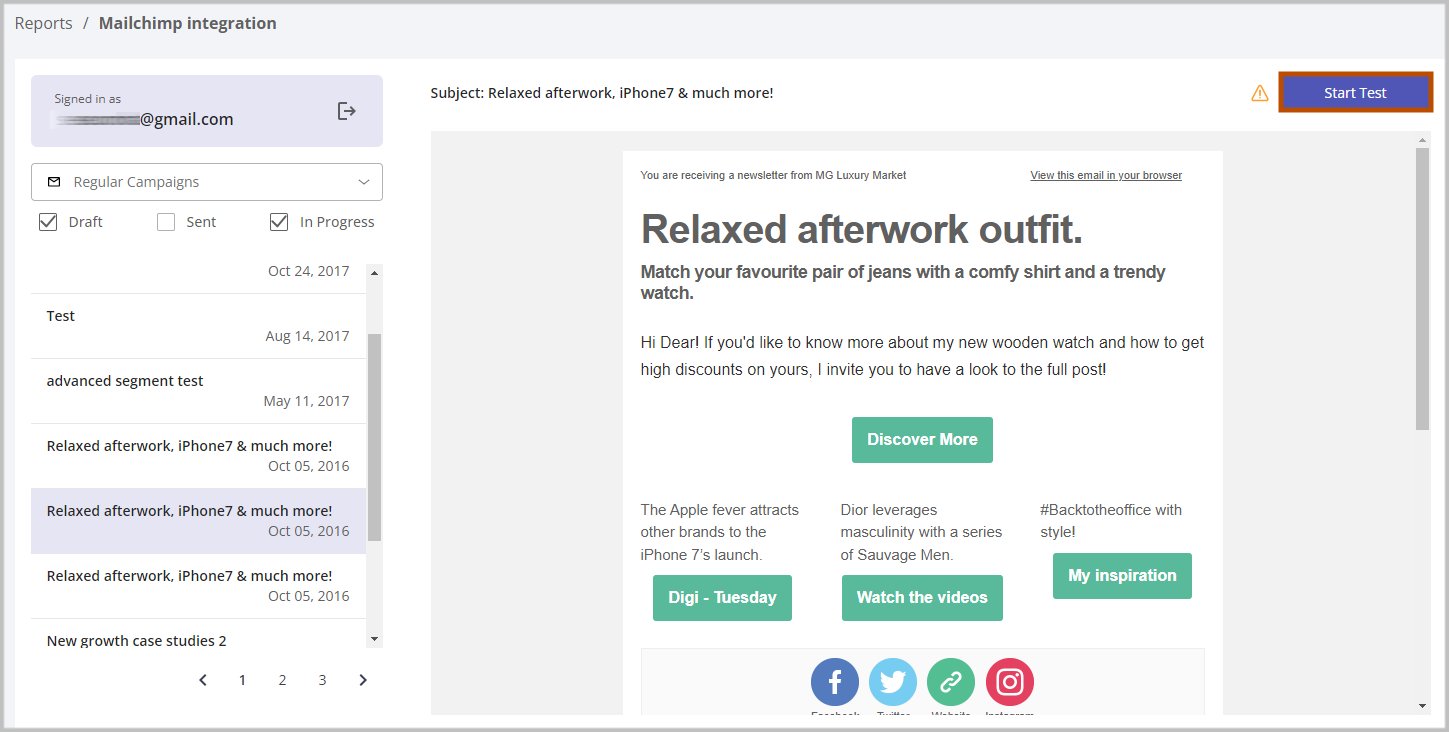
Select a MailChimp campaign and click on Start Test.
Wait for the Inbox placement and spam score test report.
Each ISP or mailbox provider stores information about the sender and outgoing mail servers used to send large volumes of emails to it. They track how the recipients engage with the received emails and over time each sender gains a reputation, good or otherwise. ISPs update their filtering algorithm on a regular basis depending on how they treat the sender at this time. In your GlockApps dashboard, you can see your current sender reputation and know if any of ISPs or popular filters are flagging your email as spam.
Related Posts
One poorly performing email campaign can do more than hurt opens or conversions. If it generates a spike in spam Read more
Email deliverability tools help you understand what happens after you hit Send. But not every tool measures the same thing. Read more
Sending an email does not automatically mean it will reach the recipient’s inbox. Your message may land in spam, get Read more
Sending an email looks almost effortless. You write a message, click Send, and a few seconds later it appears in Read more