Can One Bad Email Campaign Hurt Your Sender Reputation?
Estimated reading time: 9 minutes
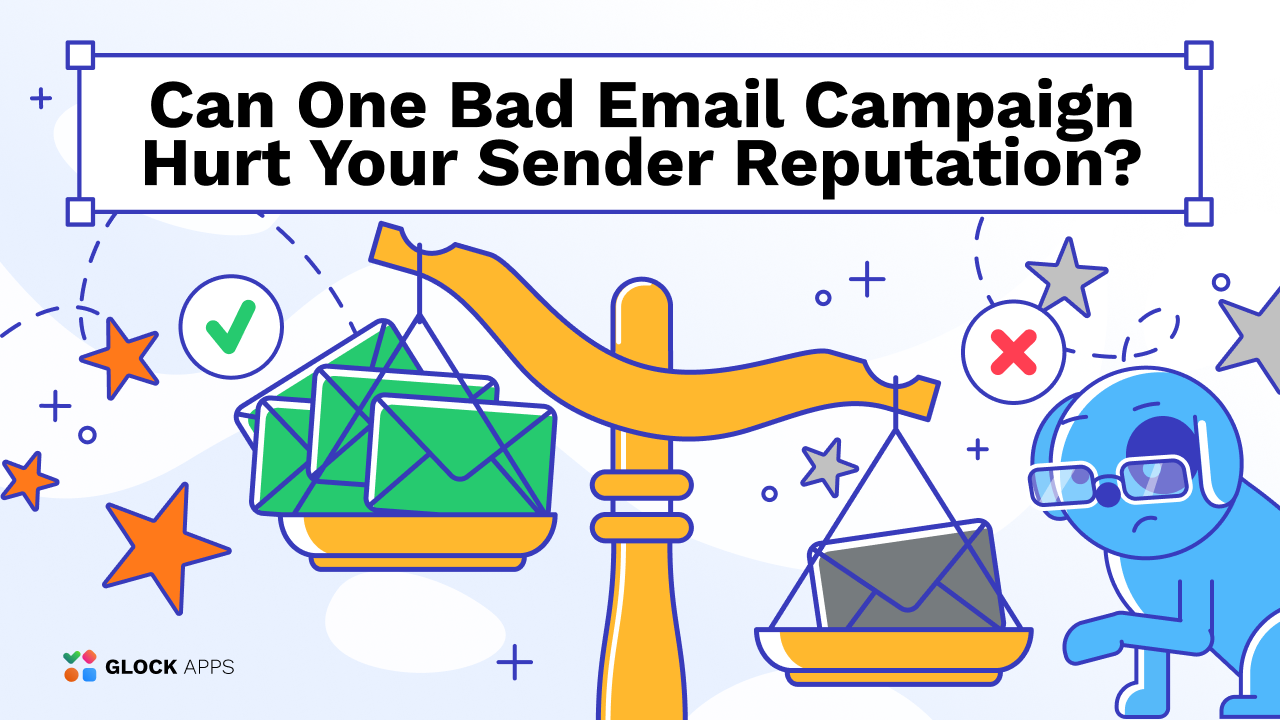
One poorly performing email campaign can do more than hurt opens or conversions. If it generates a spike in spam complaints, bounces, or other negative signals, it may also affect how mailbox providers treat your future emails.
But does one bad campaign permanently damage sender reputation? Usually not. The real impact depends on how severe the negative signals are, how strong your previous sending history is, and what you do afterward.
Key Takeaways
- One bad campaign can temporarily hurt sender reputation and future inbox placement.
- Spam complaints, poor list quality, and sudden volume increases are among the biggest risks.
- Senders with a strong reputation history are generally more resilient to occasional mistakes.
- Repeated poor campaigns are much more damaging than a single isolated incident.
- Quick corrective action can help prevent a temporary issue from becoming a long-term deliverability problem.
Can One Bad Campaign Really Hurt Sender Reputation?
Yes. A single campaign can affect sender reputation if it produces enough negative signals.
Mailbox providers evaluate how recipients react to your emails and how your sending behavior changes over time. If one campaign suddenly generates far more spam complaints, bounces, or unwanted traffic than usual, future messages may receive more cautious treatment.
This can result in:
- lower inbox placement;
- more emails going to spam;
- temporary delivery delays;
- throttling;
- lower domain or IP reputation.
However, one campaign is rarely enough to permanently destroy an otherwise healthy sender reputation.
The more important question is how bad the campaign was and whether the problem continues afterward.
What Makes a Bad Campaign Dangerous?
Not every disappointing campaign damages sender reputation.
Poor sales, low click-through rates, or weaker-than-usual engagement may be bad from a marketing perspective without necessarily creating a serious deliverability problem.
The biggest reputation risks usually come from the following signals.
1. High Spam Complaint Rates.
Spam complaints are one of the strongest negative signals mailbox providers receive.
When recipients repeatedly click Report spam, providers learn that users do not want the sender’s messages.
Gmail recommends keeping user-reported spam rates below 0.1% and avoiding rates of 0.3% or higher. Yahoo also expects bulk senders to maintain spam complaint rates below 0.3%.
A single large campaign sent to the wrong audience can therefore create a noticeable reputation problem very quickly.
2. Poor List Quality.
Sending to an old or poorly maintained email list can create several negative signals at once.
Problems may include:
- high hard bounce rates;
- messages sent to inactive subscribers;
- recipients who no longer remember subscribing;
- increased spam complaints;
- invalid or abandoned addresses.
If one campaign suddenly reaches a large number of low-quality contacts, mailbox providers may interpret the results as a sign of poor sending practices.
3. Sudden Sending Volume Spikes.
Large and unexpected increases in sending volume can also create problems.
For example, a sender that normally sends 10,000 emails per campaign but suddenly sends 200,000 may attract more scrutiny, especially if the additional recipients are less engaged.
Volume increases become even riskier when combined with weak list quality or high complaint rates.
4. Sending to the Wrong Audience.
A technically clean list can still cause reputation problems if the campaign is irrelevant or unexpected.
Recipients are much more likely to report an email as spam when:
- They do not recognize the sender;
- The message is unrelated to what they signed up for;
- They have not received anything from the sender for a long time;
- The email frequency suddenly increases;
- The campaign feels overly promotional or misleading.
Poor targeting can therefore turn an otherwise legitimate campaign into a reputation risk.
How Much Damage Can One Campaign Do?
The impact depends on several factors.
Your Existing Sender Reputation
A sender with years of consistent, permission-based sending usually has more reputation history than a new sender.
If complaints are normally very low and one campaign performs badly, mailbox providers have previous positive signals showing that the incident may be unusual.
A new sender has less history to rely on. If its first few campaigns generate poor signals, the negative activity can carry more weight.
Campaign Size
A bad campaign sent to 2,000 recipients is usually less risky than the same mistake sent to 500,000 recipients.
Larger campaigns generate more data and can create larger complaint or bounce spikes.
Severity of Negative Signals
A slight increase in complaints is different from an extreme one.
A campaign that moves your complaint rate from 0.02% to 0.05% is very different from one that suddenly generates a 0.5% or 1% spam complaint rate.
The more extreme the negative signals, the greater the potential reputation impact.
What You Send Next
If you immediately send another large campaign to the same poor-quality audience, you may reinforce the negative signals.
If instead you identify the issue, reduce volume, improve targeting, and send to engaged recipients, the problem is less likely to become a long-term pattern.
Domain Reputation vs. IP Reputation
When a campaign causes deliverability problems, it is important to understand what may have been affected.
Domain Reputation
Domain reputation is associated with the domain used to send and authenticate your email.
Mailbox providers can evaluate the history and quality of mail associated with that domain. Because the domain often stays the same even when a company changes email service providers, domain reputation can follow the sender across different infrastructure.
IP Reputation
IP reputation is associated with the IP address used to send email.
Repeated complaints, poor-quality traffic, or suspicious sending behavior can reduce the reputation of a sending IP.
For senders using shared IPs, reputation may also depend partly on how well the email service provider controls other users sending through the same infrastructure.
Because reputation exists at multiple levels, simply switching IP addresses is not necessarily enough to solve a deliverability problem.
How to Tell If a Campaign Hurt Your Reputation
One weak campaign does not automatically mean your reputation has dropped. Look for changes in actual deliverability metrics.
Common warning signs include:
- Sudden increases in spam placement;
- Noticeable drops in inbox placement;
- Higher bounce rates;
- Increased spam complaints;
- More temporary delivery failures;
- Throttling or rejection messages;
- Declining IP or domain reputation;
- Significantly different results across Gmail, Yahoo, Microsoft, or other providers.
Testing before your next campaign can help determine whether the problem is still affecting delivery. GlockApps can be used to run inbox placement tests and see whether messages are reaching the inbox, spam folder, or other locations across different mailbox providers.
This makes it easier to separate a simple campaign-performance problem from a real deliverability issue.
What to Do After a Bad Campaign
If you suspect that a campaign damaged your reputation, avoid immediately sending another large campaign.
Instead, focus on identifying and correcting the cause.
1. Review What Went Wrong.
Start by analyzing the campaign.
Ask:
- Was the list unusually old?
- Did you send to inactive subscribers?
- Was the campaign sent to a new audience?
- Did sending volume increase significantly?
- Did you change email providers or infrastructure?
- Did the message generate unusually high complaints?
- Was the content unexpected or irrelevant?
Understanding the cause is essential before you send again.
2. Check Spam Complaint Data.
Review spam complaint rates and feedback wherever possible.
For Gmail traffic, Google Postmaster Tools can provide information about spam rates, authentication, reputation, and delivery errors.
Yahoo also provides complaint feedback mechanisms for eligible senders.
If complaints spiked during a particular campaign, investigate the recipients and content involved.
3. Clean Your Email List.
Remove addresses that clearly should not receive additional emails.
This may include:
- Hard-bouncing addresses;
- Known complainers;
- Invalid contacts;
- Unsubscribed recipients;
- Obviously outdated records.
You may also want to temporarily stop sending to long-term inactive subscribers until you understand whether they are contributing to the problem.
4. Send to Your Most Engaged Subscribers First.
After a reputation problem, sending to your strongest audience can help reduce risk.
Instead of immediately mailing the entire database, prioritize subscribers who have recently interacted with your emails, website, or brand.
The goal is to return to predictable, permission-based sending behavior.
5. Avoid Another Large Volume Spike.
Do not try to compensate for poor performance by sending even more email.
Return to controlled and consistent sending volumes. If you need to increase volume, do it gradually rather than introducing another sudden spike.
6. Make Unsubscribing Easy.
An unsubscribe is far better than a spam complaint. Make sure recipients can quickly stop receiving emails if they are no longer interested.
For qualifying bulk senders, Gmail and Yahoo also require easy unsubscribe functionality as part of their sender requirements.
7. Monitor Inbox Placement During Recovery.
Reputation recovery may take time. Continue monitoring complaint rates, bounces, provider reputation data, and inbox placement as you resume sending.
Running another test with GlockApps before a major campaign can help you see whether inbox placement has improved and whether any mailbox providers are still filtering your messages.
How Long Does Sender Reputation Take to Recover?
There is no universal recovery timeline.
Reputation systems are dynamic, and mailbox providers continually evaluate new sending behavior.
Recovery may depend on:
- How severe the original problem was;
- How long poor sending behavior continued;
- How much email you send;
- The quality of your audience;
- Whether complaints remain high;
- How consistently your sending improves.
A minor issue caused by one isolated campaign may disappear relatively quickly.
A pattern of high complaints, poor list quality, or repeated spam placement can take much longer to correct. The safest approach is not to focus on a fixed recovery period but on building consistently positive sending signals again.
How to Prevent a Bad Campaign From Hurting Future Sends
The strongest protection against reputation problems is consistent good sending behavior.
Before each major campaign:
- Send only to permission-based contacts;
- Remove invalid addresses;
- Suppress unsubscribed recipients immediately;
- Monitor spam complaints;
- Avoid purchased email lists;
- Segment inactive subscribers;
- Keep sending volumes predictable;
- Use SPF, DKIM, and DMARC;
- Provide easy unsubscribe options;
- Monitor inbox placement and reputation data.
It is also worth testing campaigns before sending them to your entire audience.
A deliverability test can reveal problems early, giving you a chance to make changes before they affect hundreds of thousands of recipients.
Conclusion
One bad campaign can hurt sender reputation and influence how future emails are delivered, especially when it generates a major increase in spam complaints, bounces, or unwanted traffic.
But a single mistake does not automatically ruin your deliverability.
Senders with a strong history usually have more resilience, while quick corrective action can help contain the damage. The bigger risk comes from ignoring the warning signs and repeating the same poor sending behavior.
Treat sender reputation as something built over time. One campaign matters, but the pattern created by dozens of campaigns matters much more.
FAQ
It can damage sender reputation, but permanent damage from one campaign is uncommon. The severity depends on factors such as spam complaints, bounce rates, campaign size, list quality, and your previous sending history.
Yes. If a campaign generates unusually strong negative signals, mailbox providers may temporarily become more likely to route future messages to spam. The effect can be stronger if poor sending behavior continues.
There is no fixed recovery period. A small, isolated problem may improve relatively quickly, while repeated complaints or poor sending practices can take much longer to correct.
You do not necessarily need to stop all email activity, but you should avoid immediately sending another large campaign without understanding what went wrong. Clean your list, review complaints, reduce risk, and prioritize engaged recipients.
Related Posts

Gone are the times when email filters only checked the message’s content to filter out the email as spam or Read more
Just imagine a situation where your company needs to introduce itself to someone for the first time. You wouldn't start Read more

To keep their computers, accounts, websites, and mailboxes safe and secure, Internet users apply firewalls, antivirus tools, and anti-spam filters. Read more

Email marketers are setting up automatic signup processes and follow-up email series that are sent to subscribers after registration. It's Read more