Images and Email Deliverability: When Visuals Send You to Spam

Estimated reading time: 8 minutes
Images make an email feel like a brand rather than a plain text message. They also make plenty of senders nervous. Ask around, and you’ll hear that images send mail to spam, that you need a strict 60/40 text-to-image ratio, or that one large banner can sink a whole campaign.
The real answer is less dramatic. Images alone rarely decide where a message lands. How you build, size, host, and back them up with text does. Here’s what actually happens to images on the way to the inbox, and how to keep them from hurting your email deliverability.
Key Takeaways
- Images don’t send email to spam by themselves. Image-only layouts, oversized files and badly hosted images do raise the risk.
- Filters need readable text to classify a message, so keep the main message, offer and call to action in live HTML text.
- Bloated code and base64-embedded images can push an email past Gmail’s 102 KB clipping limit and hide your unsubscribe link.
- The domain your images load from has its own reputation. A blocklisted image host can pull a clean email into spam.
- Alt text protects the message when images are blocked, which is the default in spam folders and many desktop clients.
- Test inbox placement before important sends, not after the numbers come in.
How Spam Filters See an Image
A spam filter doesn’t look at an email the way your subscriber does. A person sees a product photo and a headline. A filter sees an <img> tag, a source URL, dimensions, alt text, and whatever text surrounds it.
Some filters can run image analysis or OCR, but text still gives them most of the context they need to classify a message. When most of the content is locked inside pictures, the filter has less to work with, and the verdict leans harder on other signals: sender reputation, authentication, links, and how recipients have engaged with your past mail.
That’s why an established sender can get away with a fairly visual newsletter, while a new domain sending the same design sees more of it filtered. The image is the same in both cases. The trust behind the sender is not.
Image-Only Emails and the Text-to-Image Balance
An email that is one large image with almost no text is the classic pattern behind image spam. Spammers relied on it for years to hide words that text-based filters would catch, so filters learned to treat it with suspicion.
SpamAssassin, the open-source filter behind many hosting providers and corporate mail gateways, has rules aimed at exactly this. The HTML_IMAGE_ONLY rules fire when an HTML email contains images but very little text, and the HTML_IMAGE_RATIO rules compare the image area with the amount of text. Each rule adds a few points rather than blocking mail outright, but that can be enough to push a borderline message over the spam threshold. Gmail and Microsoft run their own proprietary filters, yet an email they can’t read and that recipients ignore will not do well there either.
You’ll often see a 60/40 text-to-image ratio recommended. Treat it as a reasonable rule of thumb, not a limit any mailbox provider publishes. These habits matter more than hitting an exact number:
- Put the headline, offer, and call to action in live HTML text.
- Use coded HTML buttons instead of button images.
- Don’t send a whole design flattened into a single image, however good it looks.
- Include a plain-text version that matches the HTML content.
If you’re not sure whether a visual-heavy template is a problem, build two versions, one image-heavy and one with more live text, and run both through a GlockApps spam test. Comparing where each lands across mailbox providers gives you real data instead of a guess.
File Size, Load Time, and Gmail Clipping
Heavy images cause trouble in two ways.
The first is the reading experience. A 3 MB hero image loads slowly on mobile data, and people tend to delete emails that look blank or broken for the first few seconds. Fewer reads and clicks are weak engagement signals, and over time weak engagement wears down your sender reputation. Compress every image, export it at the size it will be displayed (or twice that for high-density screens), and keep an eye on animated GIFs, which are often the heaviest files in an email.
The second is message size. Gmail clips any email whose HTML is larger than 102 KB and hides the rest behind a “View entire message” link. Externally hosted images don’t count toward that limit, because only their URLs sit in the code. Images embedded as base64 strings do count, and a single one can exceed the limit on its own. Gmail doesn’t display base64 images anyway, so there’s no upside to embedding them that way.
Clipping becomes a deliverability issue for two reasons:
- The footer, including the visible unsubscribe link, can end up hidden. A reader who can’t find it is more likely to click “Report spam”.
- A tracking pixel placed near the bottom may never load, so your open data under-reports.
Images are only part of the size story. Bloated code from drag-and-drop builders, styles pasted in from word processors, and long tracking URLs add up quickly too. Attaching images as inline CID attachments inflates the message as well and can make it look like it carries files, so for bulk mail, hosted images are usually the safer choice.
Where Your Images Are Hosted Matters
Filters check every URL in an email, including the source address of each image. Those domains are looked up against URI blocklists and the provider’s own reputation data. If your images live on a free image host, a shared server, or a domain with a history of abuse, the email can be filtered even when your sending domain is perfectly clean.
A few habits keep image hosting from becoming a weak spot:
- Host images on your own domain or subdomain (for example, img.yourbrand.com) or on your email platform’s CDN.
- Serve them over HTTPS.
- Skip URL shorteners and long redirect chains, for images and links alike.
- Use the same image domain from campaign to campaign so it builds a stable history.
- Watch for hotlinking. If spammers reuse images hosted on your domain, its reputation takes the hit.
Alt Text: Your Backup When Images Don’t Load
Images don’t always display. Outlook for desktop blocks external images by default unless the sender is on the recipient’s safe list, many corporate mail setups do the same, and Gmail turns images off for messages in the spam folder. In each of these cases, alt text and live text are all the reader sees.
Good alt text says what the image shows or says. If a banner reads “40% off winter jackets”, the alt text should say that, not “banner_v3_final”. When an email still makes sense with images off, a subscriber who finds it in spam has a reason to click “Not spam”, and that is one of the strongest positive signals a mailbox provider can get.
Keep alt text descriptive and honest. Stuffing it with keywords or sales phrases doesn’t help, because filters read it as part of the content. It also has to work for people using screen readers, which is reason enough to write it well.
Tracking Pixels, Image Proxies and Engagement Data
Open tracking depends on an image too: a tiny pixel that registers an open when it loads. The pixel itself doesn’t hurt inbox placement, but the data it produces is less reliable than it used to be. Gmail serves images through its own proxy, and Apple Mail Privacy Protection preloads images for users who enable it, which records an open whether or not anyone read the email.
This matters when you use open rates to judge deliverability. Inflated opens can hide a spam folder problem, and a sudden drop may come from blocked images rather than poor placement. Mailbox providers don’t rely on your pixel. They use their own signals, such as reads, replies, deletions without reading, and spam complaints. Read your open rates alongside clicks, conversions, and seed-based placement results.
How to Check Your Images Before You Send
A short pre-send routine catches most image-related problems:
- Preview the email with images turned off. Is the offer still clear?
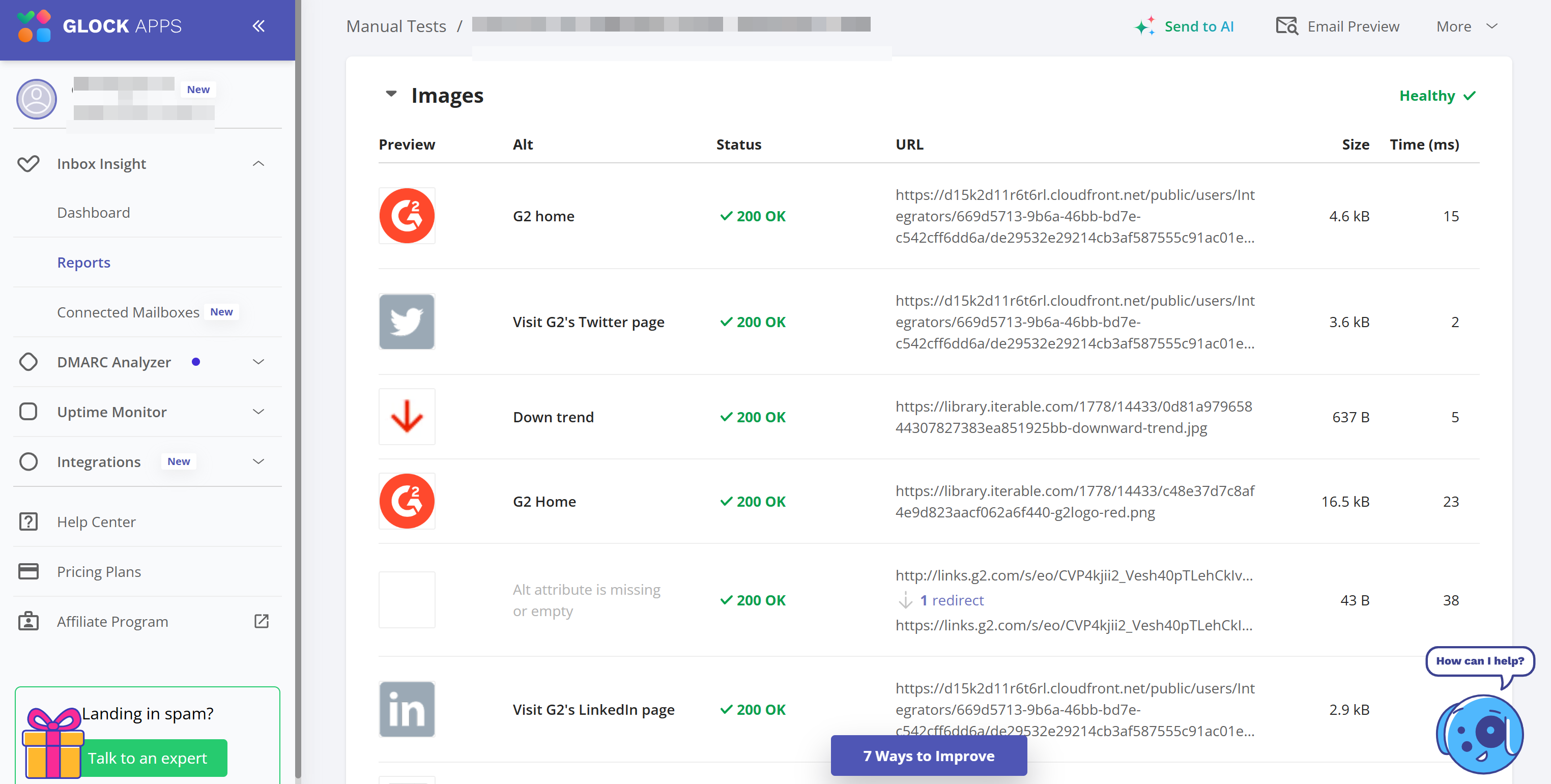
- Check that every image has meaningful alt text.
- Confirm the HTML is under 102 KB and nothing is embedded as base64.
- Compress images and check the total weight, especially GIFs.
- Make sure every image loads over HTTPS from a domain you control or trust.
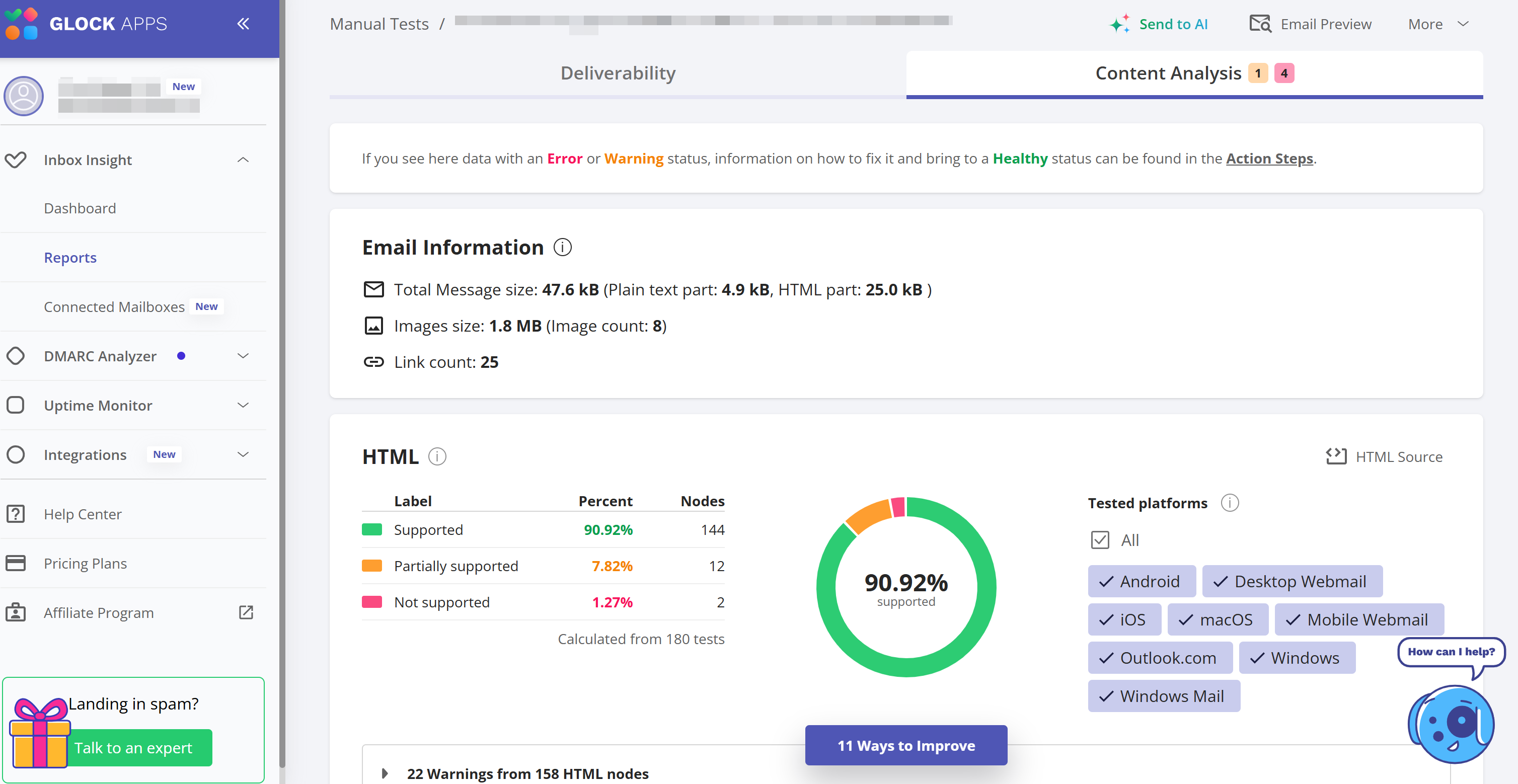
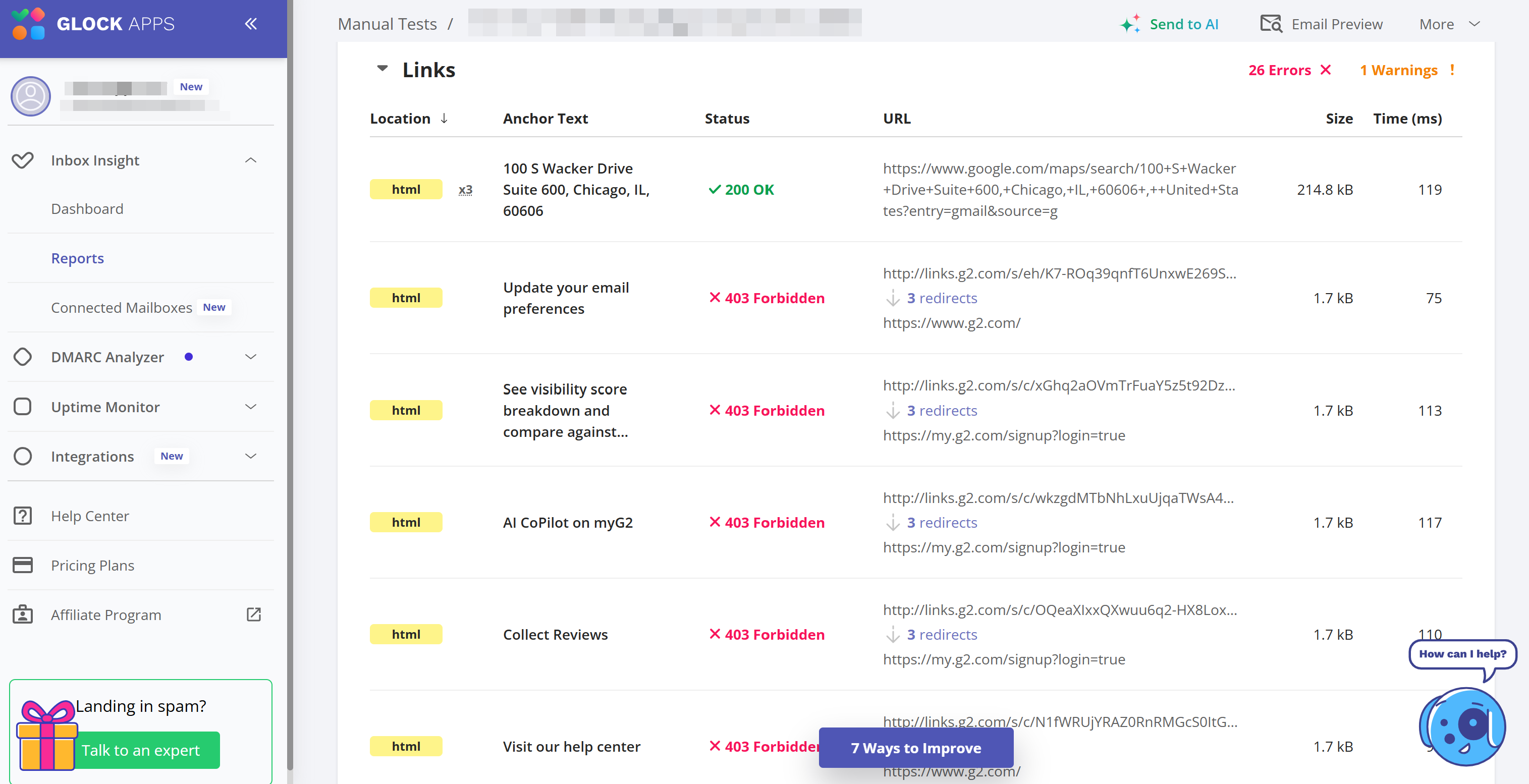
- Run the email through GlockApps Content Analysis. It lists every image with its alt text, file size, load time, and URL status. It also shows the total message size and the size of the HTML part, so you can fix image issues before they reach subscribers.
Conclusion
Images aren’t a deliverability problem by default, and most well-built emails use them without any trouble. Problems start when images replace text, weigh too much, load from a questionable domain, or leave readers with nothing to look at when they’re blocked.
Build emails that still work with images off, keep files light, host them somewhere reputable, and test before you send. Do that, and images become one less thing to worry about when inbox placement dips.
Related Posts

Email remains one of the most widely used forms of communication, both professionally and personally. However, email services have limitations, Read more

Animated GIFs can become of even more reach and influence in the world of digital marketing where email remains one Read more

Images can be the emotional core of an email campaign. They announce product launches, highlight seasonal promotions, create visual hierarchy, Read more
Sending an email does not automatically mean it will reach the recipient’s inbox. Your message may land in spam, get Read more