Email Sandboxing Explained: How It Protects Your Inbox from Malware and Phishing
Estimated reading time: 5 minutes
Every day, organizations receive thousands of emails containing attachments, links, and embedded scripts. While most of them are harmless, some hide sophisticated malware designed to bypass traditional security filters. Over the years working in email deliverability, I’ve noticed that standard spam filters alone are no longer enough to stop advanced threats. Attackers continuously evolve their techniques, creating malicious files that look legitimate and evade conventional detection.
This is where email sandboxing becomes a powerful layer of protection.
Key Takeaways
- Email sandboxing analyzes attachments and links in a safe, isolated environment before they reach the user.
- It helps detect malware, phishing attempts, and suspicious scripts that traditional filters might miss.
- Sandboxing significantly reduces the risk of zero-day threats and advanced email attacks.
- Organizations using sandboxing improve both email security and overall deliverability trust.
- Combining sandboxing with deliverability testing tools helps maintain a healthy email ecosystem.
What Is Email Sandboxing?
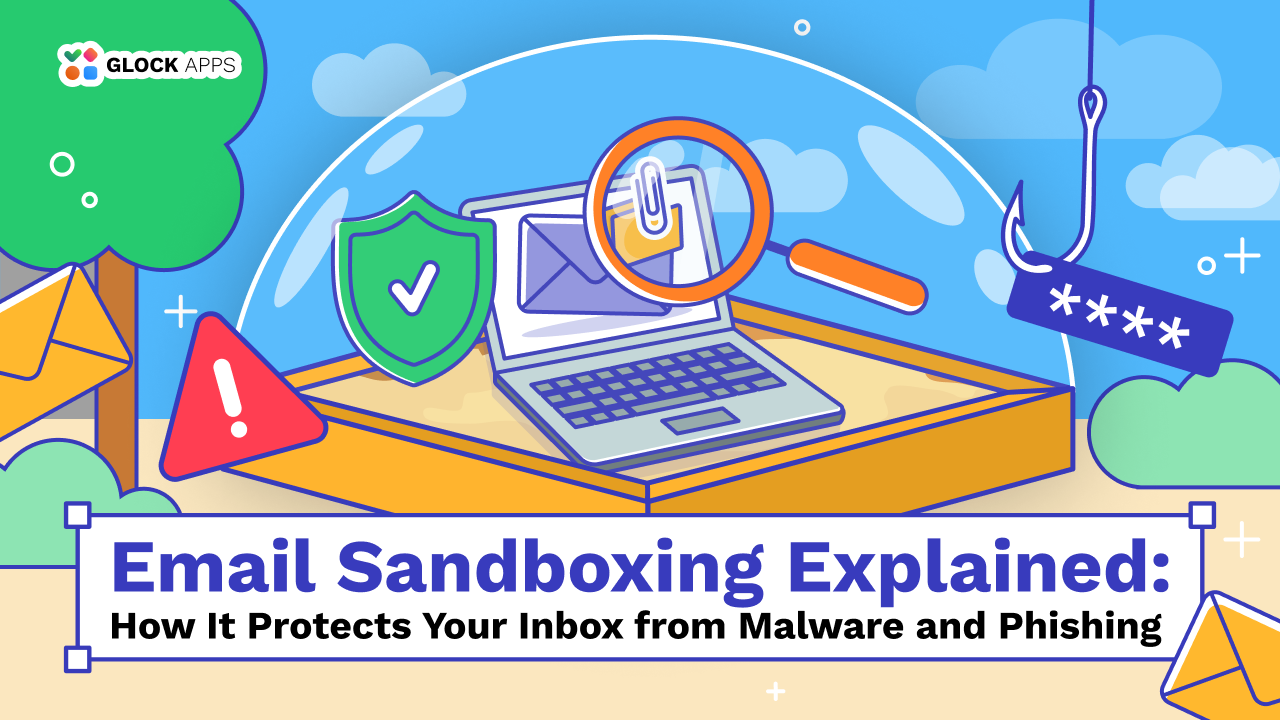
Email sandboxing is a security mechanism that analyzes email attachments, links, and files in an isolated virtual environment before delivering them to users.
In simple terms, the sandbox acts like a digital testing chamber. Suspicious files are opened inside this isolated system where they cannot affect real devices or networks.
From my experience working with email infrastructure and deliverability monitoring, sandboxing is one of the most effective ways to detect threats that traditional antivirus engines miss.
This is especially important when dealing with:
- malicious attachments
- phishing pages hidden behind links
- scripts embedded inside documents
- zero-day malware not yet recognized by signature databases
Instead of relying solely on known threat signatures, sandboxing focuses on behavior analysis.
How Email Sandboxing Works
When an incoming email contains an attachment or a suspicious link, the sandbox system intercepts it before delivery.
The system then performs several actions:
- The file or link is executed inside a virtual environment.
- The system monitors behavior such as file modifications, network connections, and script execution.
- If the file attempts malicious activity (downloading malware, modifying system files, contacting command servers), it is flagged as a threat.
- The email is blocked or quarantined before reaching the recipient.
I often recommend sandboxing for organizations that handle sensitive communication or large volumes of email. It dramatically reduces the risk of successful phishing and malware delivery.
Why Sandboxing Matters for Email Security
Traditional email filtering relies heavily on known malware signatures and reputation systems. While effective against known threats, these systems struggle with newly developed attacks. Sandboxing fills this gap. I’ve seen multiple cases where files looked harmless during initial scans but revealed malicious behavior when executed in a sandbox environment.
Modern cyber threats often rely on:
- delayed malware activation
- encrypted payloads
- macro-based document attacks
- multi-stage phishing redirects
Sandboxing allows security systems to observe these behaviors in real time.
Email Sandboxing vs Traditional Filtering
Before implementing sandboxing, many organizations rely solely on spam filters and antivirus scanning. While these are essential layers, they operate differently from behavioral analysis systems. Below is a simple comparison I often use when explaining the difference.
| Security Method | How It Works | Limitations |
| Spam filtering | Detects suspicious senders, patterns, and known spam indicators | Can miss sophisticated phishing campaigns |
| Antivirus scanning | Uses malware signatures to detect known threats | Ineffective against zero-day attacks |
| Email sandboxing | Executes files in a virtual environment and monitors behavior | Requires more processing time but offers deeper threat detection |
Sandboxing and Email Deliverability
While sandboxing is primarily a security tool, it also indirectly supports email deliverability.
When organizations protect their systems from malware and phishing attacks, they prevent compromised accounts from sending malicious campaigns that damage domain reputation.
I’ve often seen cases where companies unknowingly distributed infected attachments after a breach, which quickly led to blacklisting and deliverability problems.
Tools like GlockApps help identify those deliverability risks early by testing inbox placement and authentication issues across major providers. When combined with strong security practices like sandboxing, organizations gain both secure and reliable email infrastructure.
When Should You Use Email Sandboxing?
From my perspective, sandboxing is especially important for organizations that:
- receive large numbers of external emails
- exchange attachments with partners or clients
- operate in finance, healthcare, or technology sectors
- manage sensitive internal communication
Even small businesses can benefit from sandboxing, particularly if they rely heavily on email communication. Cyber attackers frequently target organizations of all sizes because email remains the easiest attack vector.
Best Practices for Implementing Email Sandboxing
Based on my experience, I typically recommend several practical steps when implementing sandboxing:
- First, sandboxing should work alongside existing security layers, not replace them. Spam filters, antivirus engines, and authentication protocols like SPF, DKIM, and DMARC still play critical roles.
- Second, organizations should monitor email performance and reputation regularly. I often suggest using tools such as GlockApps to verify inbox placement, authentication, and sender reputation while maintaining strong security controls.
- Finally, companies should educate employees about suspicious attachments and phishing attempts. Even the most advanced systems benefit from informed users.
Conclusion
Email threats continue to evolve, becoming more sophisticated and harder to detect using traditional filtering methods alone. Attackers increasingly rely on disguised attachments, malicious scripts, and zero-day exploits that bypass standard security systems.
Email sandboxing provides one of the most effective defenses against these advanced threats. By executing suspicious files in a safe environment and analyzing their behavior, sandboxing can identify malicious activity before it ever reaches the inbox.
When combined with strong authentication practices, deliverability monitoring, and employee awareness, sandboxing becomes an essential component of email security.
FAQ
When an email contains an attachment or link that looks suspicious, the system sends it to a virtual environment called a sandbox. The file is opened there and monitored for harmful behavior, such as downloading malware or modifying system files.
No. Email sandboxing is usually used alongside spam filters and antivirus systems. Spam filters detect known threats and suspicious senders, while sandboxing analyzes how files behave in real time.
Sandboxing itself does not harm deliverability. In fact, strong email security helps protect domains and accounts from being compromised, which ultimately supports a healthy sender reputation.
Related Posts
Organizations face increasingly complex cyber threats. As cyberattacks grow in volume and sophistication, cybersecurity teams must go beyond basic defenses Read more

While phishing emails have always been an issue for digital marketers, today's fraudsters are constantly adapting their tactics by capitalizing Read more

In an age where cyberattacks are becoming more creative and targeted, understanding the signs of phishing email attempts is essential. Read more
The FBI, U.S. Department of State, and NSA have issued a warning about North Korean cyber actors exploiting weak DMARC Read more